Table of Contents
- 1.What you need before you pay
- 2.How to pay your electricity bill with JazzCash
- 3.How to pay your electricity bill with Easypaisa
- 4.Paying at a JazzCash or Easypaisa agent
- 5.Fees, limits and timing
- 6.Confirm the payment and keep the receipt
- 7.What to do if something goes wrong
- 8.Frequently asked questions
- Is it free to pay an electricity bill with JazzCash or Easypaisa?
- How long does the payment take to clear?
- Which electricity companies can I pay through JazzCash and Easypaisa?
- Can I pay someone else's electricity bill?
- Do I need a JazzCash or Easypaisa account to pay?
- What if money is deducted but the payment failed?
- JazzCash or Easypaisa, which is better for paying bills?
- Where do I find my reference number?
- Is there a limit on how much I can pay?
Paying your electricity bill with JazzCash or Easypaisa takes under two minutes from your phone, with no queue at the bank and no trip to the DISCO office. Both wallets accept bills for every WAPDA distribution company, including LESCO, MEPCO, FESCO, IESCO, GEPCO, PESCO, HESCO, SEPCO and QESCO, and the payment clears against your 14-digit reference number. You can pay from your own wallet balance inside the app, or hand cash to any JazzCash or Easypaisa agent and let them process it. This guide walks through both apps step by step for 2026, shows how the agent method works, and explains the fees, limits and receipts so your payment never goes missing. It also covers what to do when a bill will not load or the amount looks wrong, so you can fix it before the due date.
What you need before you pay
Before you start, keep three things ready and the rest is quick. First, your 14-digit reference number, printed on the top-left of your electricity bill. Second, enough balance in your wallet to cover the amount, or cash if you are paying through an agent. Third, the app installed and your account verified with your CNIC and mobile number. If you do not have an account, you can still pay at a retail agent using only the reference number and cash. Keep the paper bill or a photo of it beside you, since you will type the reference number and check the amount against it.
How to pay your electricity bill with JazzCash
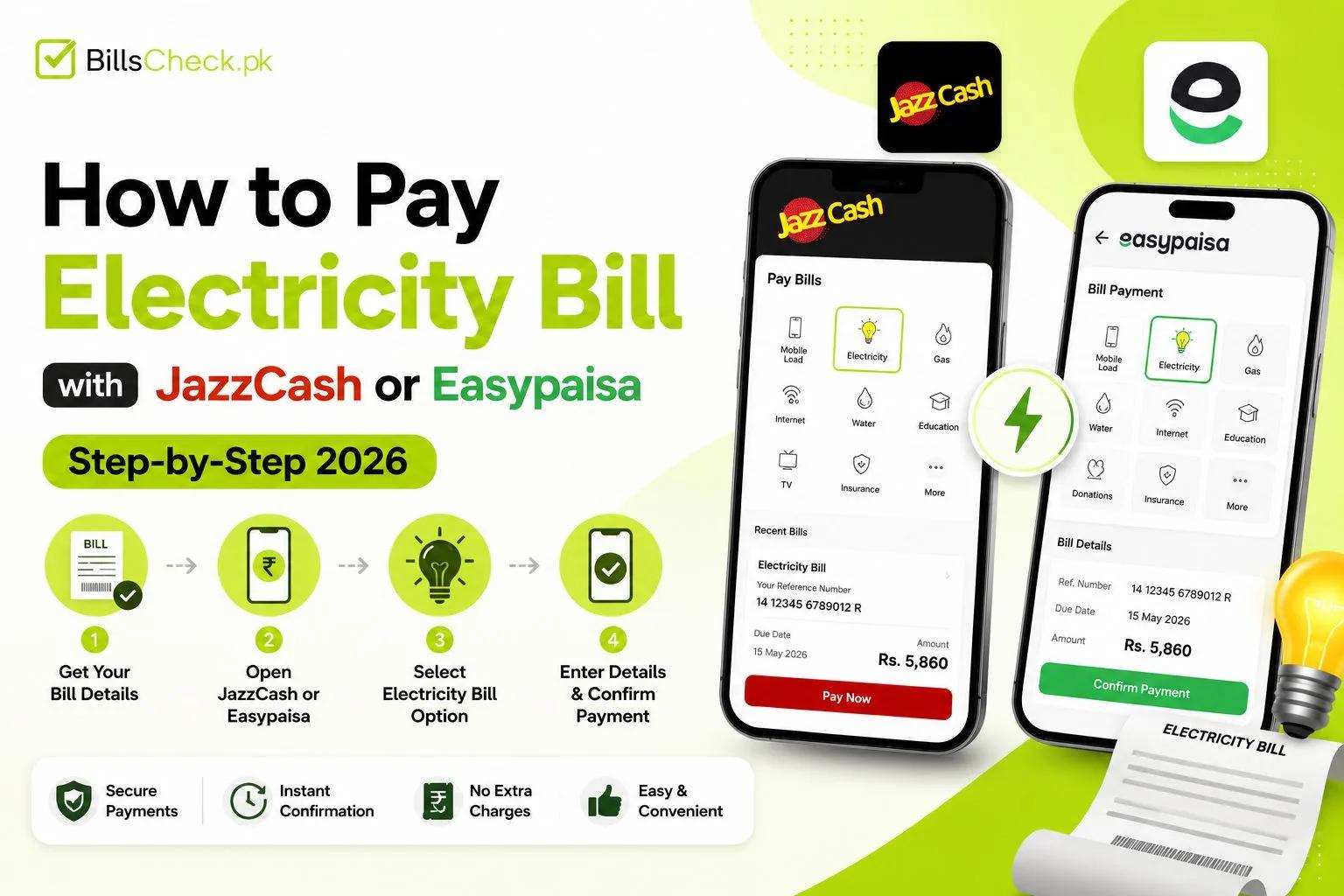
JazzCash pays your bill in seven steps from the mobile app.
- Open the JazzCash app and log in with your PIN or fingerprint.
- Tap Bill Payments on the home screen.
- Choose the Electricity category from the list of utilities.
- Select your distribution company, for example LESCO or MEPCO.
- Enter your 14-digit reference number and press fetch or next.
- Check the amount payable and due date the app pulls from the bill.
- Confirm and pay from your JazzCash balance.
The app then shows a success screen and sends an SMS with a transaction ID. Save that ID or take a screenshot. It is your proof of payment until the next bill shows the amount cleared. If your Jazz number is not registered for JazzCash, the app guides you through a one-time signup with your CNIC first.
How to pay your electricity bill with Easypaisa
Easypaisa follows almost the same flow, so the steps feel familiar if you have used JazzCash.
- Open the Easypaisa app and sign in with your PIN.
- Tap Bill Payments, then select Electricity.
- Pick your DISCO from the company list.
- Type your reference number and continue.
- Review the amount and due date that load on screen.
- Pay from your Easypaisa balance and confirm.
Easypaisa sends a confirmation SMS with a transaction number and updates your in-app history. Both the SMS and the history entry work as a receipt, so you never need a paper slip. The payment posts against your reference number, which means the DISCO records it under your meter and connection.
Paying at a JazzCash or Easypaisa agent
Agents let you pay in cash without an account, which suits anyone who does not use the app. Walk into any shop with a JazzCash or Easypaisa sign, give the agent your reference number and the cash, and ask them to pay your electricity bill. The agent enters the number in their app, tells you the amount, takes the cash, and hands you a printed slip or a confirmation SMS. Keep that slip. There are thousands of these retail points in every city and town, so an agent is rarely more than a short walk away, and they stay open later than bank counters.
Fees, limits and timing
Fees for electricity bill payments through JazzCash and Easypaisa are usually free or a small charge, and the app always shows any fee before you confirm. So read the review screen and you will never be surprised. Wallet accounts carry daily and monthly transaction limits set by your account level, so a very large bill may need a higher tier or a bank transfer instead. Payments normally reflect in the DISCO system quickly, often within minutes and at most within 24 to 48 hours. Because of that gap, pay a day or two before the due date rather than on the last evening.
Confirm the payment and keep the receipt
Confirmation matters, because a bill only counts as paid once the DISCO records it. After paying, you get a transaction ID by SMS and in your app history, and that is your first proof. To be sure the DISCO has cleared it, check your bill online with your reference number after a day. A cleared payment shows the amount as paid or the balance as zero on the next bill. Keep the transaction ID until then. If the amount still shows unpaid after 48 hours, contact JazzCash or Easypaisa helpline with the transaction ID.
What to do if something goes wrong
Problems are rare, but two come up often and both have a clear fix. If your money is deducted and the payment fails, the amount is usually reversed to your wallet within a few hours to a couple of days. Note the transaction ID and raise it with the JazzCash helpline on 4444 or the Easypaisa helpline on 3737. If the bill will not load, check that all 14 digits of the reference number match your latest bill, since a single wrong digit is the usual cause. A brand-new connection that has not generated its first bill will also fail to load until the next billing cycle.
Frequently asked questions
Is it free to pay an electricity bill with JazzCash or Easypaisa?
Yes, electricity bill payments through both wallets are usually free or carry a small charge that the app shows before you confirm. Read the review screen to see any fee. You pay only the bill amount plus that visible charge, never a hidden cost after the fact.
How long does the payment take to clear?
The payment reflects in the DISCO system within minutes in most cases, and within 24 to 48 hours at the latest. Because of that window, pay a day or two before the due date. Check your bill online with your reference number the next day to confirm the amount shows as cleared.
Which electricity companies can I pay through JazzCash and Easypaisa?
You can pay every WAPDA distribution company, including LESCO, MEPCO, FESCO, IESCO, GEPCO, PESCO, TESCO, HESCO, SEPCO and QESCO. Both apps list them under the Electricity category. Select your company, enter the reference number, and the app pulls the correct bill.
Can I pay someone else's electricity bill?
Yes, you can pay any bill from your own wallet as long as you have that connection's 14-digit reference number. The payment clears against the meter tied to that number, not against your account. This makes it easy to pay a bill for family or a rented property.
Do I need a JazzCash or Easypaisa account to pay?
No, you can pay in cash at any JazzCash or Easypaisa agent without an account. Give the agent the reference number and the cash, and they process it and hand you a slip. You need an account only if you want to pay yourself from the app.
What if money is deducted but the payment failed?
A failed payment usually reverses the deducted amount to your wallet within a few hours to two days. Keep the transaction ID, then call the JazzCash helpline on 4444 or the Easypaisa helpline on 3737 if it does not return. Do not pay again until you have checked whether the first attempt actually went through.
JazzCash or Easypaisa, which is better for paying bills?
Both are equally reliable for electricity bills, so the better choice is simply the wallet you already use. JazzCash suits Jazz and Warid users, while Easypaisa pairs naturally with Telenor numbers, though either app works on any network. Pick the one where you keep your balance and the steps are almost identical.
Where do I find my reference number?
The reference number sits on the top-left of your electricity bill and runs to 14 digits. It never changes month to month, so note it once and reuse it for every payment. If your old bill is lost, your DISCO customer centre can read the number back from your meter details.
Is there a limit on how much I can pay?
Yes, wallet accounts carry daily and monthly transaction limits based on your account level. A small or basic account has a lower limit than a fully verified one. For a very large bill that exceeds your limit, use a higher account tier, split it across days, or pay through internet banking instead.
Keep your reference number saved, top up enough balance, and pay a day or two ahead of the due date so the amount clears in time. Then check your bill online with the same reference number to confirm it posted. Do that each month and you will never miss a due date or pay a late surcharge again.